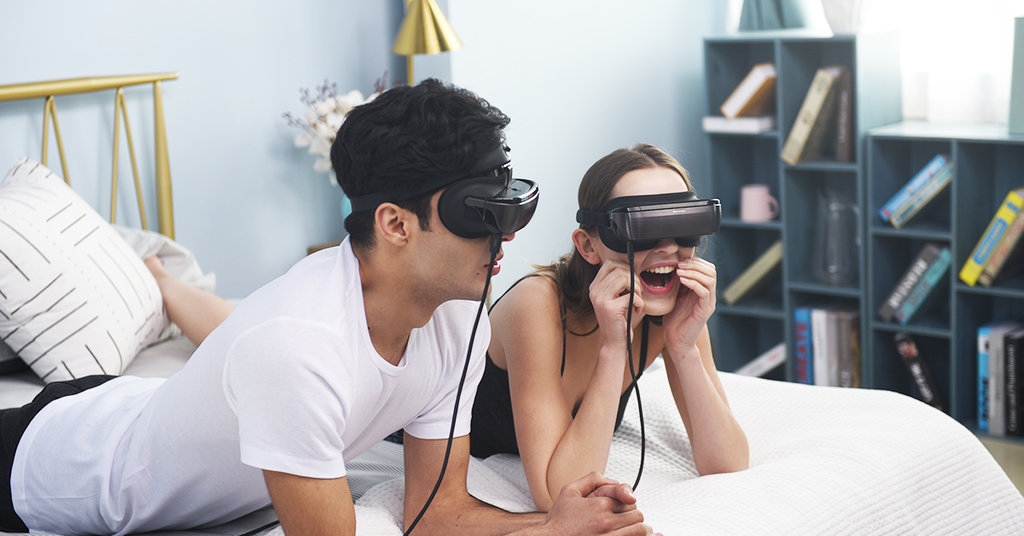
Can I wear LUCI immers while wearing my glasses?
Yes, you can wear LUCI immers over your glasses
Last updated: July 02, 2019 14:02
How different is this compared to your competitor in the same field?
- We have exclusive content platform, LUCI Home, whereas most competitors don’t.
- immers is lighter and smaller.
- With LUCI’s virtual screen, the viewing experience is as if you were seeing a screen size of 1023” at a 20m viewing distance, whereas others is 750” or 800”
- immers’s FOV is 70°, whereas competitors are around 50°. With that said, immers delivers a more immersive visual experience.
- immers’s video input is USB-C V.S HDMI of competitors.
Last updated: July 02, 2019 14:03
How is it compared to Oculus Quest?
LUCI immers and Oculus Quest fall into different categories: the later one is a virtual reality wearable, whereas LUCI immers is a portable personal cinema. Since the product definition of immers and Oculus Quest are different, they come with different features.
Last updated: July 02, 2019 14:04
Will the luci immers be able to play 3d movies on app such as netfilx or on other website beside luci home app?
LUCI immers headset supports 3840x1080 mode when directly connected to PC and Mac via full function USB-C interface. It will compatible with video apps that can show 3D videos in the host’s extend display in side-by-side way.
Last updated: July 02, 2019 14:04
Will I be able to watch downloaded Google play movies that are stored on my phone?
Yes.
Last updated: July 02, 2019 14:05
Can I hook this up to my MacBook and use it as an actual desktop display? Being able to have a virtual 5-8k sized desktop would be huge for traveling coder-types like myself.
Yes, you may hook immers up to your MacBook and use it as a desktop display.
Last updated: July 02, 2019 14:05
Can you guys describe what changes/updates you’ve made to the immers since debuting it at CES 2018?
We improved optics, ID and hardware; we’ve also worked out some issues such as reliability and consistency; moreover, we upgraded USB-C function to support connection of Android phone.
Last updated: July 02, 2019 14:06
What is LUCI Home? And what features does it offer?
LUCI home is our official content platform. For more info, please check out the videos on YouTube: https://www.youtube.com/watch?v=VbKAgjfvdHI&t=48s; https://www.youtube.com/watch?v=dS_4KODKQPc&t=4s; https://www.youtube.com/watch?v=IqyuWaG1Jd8&t=1s; https://www.youtube.com/watch?v=nEUfzqWLPZI&t=3s
Last updated: July 02, 2019 14:06
Will LUCI Home be available on Mac?
Yes, LUCI Home will be available on Mac.
Last updated: July 02, 2019 14:07
What viewing mode do you offer from LUCI home app?
We offer theater mode, home mode and the universe mode. The three viewing modes are only available via LUCI home app. Here is the demo video: https://youtu.be/nEUfzqWLPZI
Last updated: July 02, 2019 14:07
Theater mode offer different distance from the screen. Is that the only mode offering that option?
Yes, the theatre mode is the only mode that offers “different distance” option.
Last updated: July 02, 2019 14:08
If I connect my PC to LUCI, would picture of the screen be curved? What resolution would it be?
The screen will be flat, not curved; the resolution will be 3840*1080 or 1920 * 1080, you can adjust it via LUCI HOME. If you want to watch video with curved effect, you may import the video to LUCI home and choose “theater mode.”
Last updated: July 02, 2019 14:08
When playing 3D via using the third-party software such as PowerDVD and PotPlayer, how is LUCI immers switched into 3D viewing mode?
First of all, you need to set the resolution of immers as 3840 * 1080 via LUCI Home. Then, you may adjust settings via third-party software. Here is a video for your reference: https://www.youtube.com/watch?v=dUNmbk3Bi3w
Last updated: July 02, 2019 14:08
What’s the experience using LUCI Immers playing video games on PS4?
The image quality is smooth and with no screen door effect or image streaking, and you will be fully immersed in the game.
Last updated: July 02, 2019 14:09
So I want confirm there is no built-in pincushion or barrel distortion in the lenses, and that they have a conventional flat field of view edge-to-edge?
We have installed distortion correction at LUCI Home, so there will be no distortion on PC and MAC (conventional flat field of view edge-to-edge). Due to limited computing capability and power supply of mobile devices, we are not able to install distortion correction at LUCI Home on mobile devices, so there will be very tiny pincushion distortion (no barrel distortion). There will be no deterioration of quality at the edge of image.
Last updated: July 02, 2019 14:09
Does LUCI immers work with Apple TV and HDCP protected content?
- LUCI immers works with Apple TV and supports most of content
- LUCI immers supports HDCP 2.2 while connecting directly via USB-C; however, HDMI adapter does not support HDCP. With that said, while using HDMI adapter, LUCI immers does not support HDCP protected content.
Last updated: July 02, 2019 14:10
What hardware will I need in order to have the highest quality/closest experience to being in an actual theater?
Here are some recommendations: DELL Inspiron 15-7577, HP RMN:TPN-Q193, ASUS FX53V, Intel NUC
Last updated: July 02, 2019 14:11
how about heat sink capability? Are there any heated issues during over 10 hours continuous working?
The motherboard and optics are specially designed for heat sinking to satisfy long-term work. LUCI immers works well after over 10 hour’s continuous work.
Last updated: July 02, 2019 14:11
Will luci support all 360 and 180 content?
LUCI immers supports content of 8K, 4K, 2K, 1080P and with lower resolution; immers also support 2D, 3D Top and Bottom, 3D SBS, VR180 ̊, VR360 ̊ content (up to 90 FPS)
Last updated: July 02, 2019 14:12
And can I also connect my iPhone to LUCI using a lightning to usb c cable to watch apps like Netflix? You stated that in the campaign story
There is no Lightning to USB-C Cable in the market because Apple Inc. does not sell lightning to USB-C adapter. Apple has not released the protocol of lightning output video. If you want to watch content on iPhone, you will need: LUCI HDMI Adapter, USB-C Cable and iPhone Lightning to HDMI.
Last updated: July 02, 2019 14:12
What is BackerKit?
BackerKit is a service that crowdfunded project creators use to keep track of hundreds to tens of thousands of backers—from shipping details, pledge levels, preferences and quantities, whether they have paid or had their card declined, special notes, and everything in between!
The BackerKit software and support team is independent from the campaign’s project team—BackerKit does not handle the actual reward shipping. For more information about the preparation or delivery status of your rewards, please check the project's updates page.
How does BackerKit work?
After the campaign ends, the project creator will send you an email with a unique link to your survey. You can check out a walkthrough of the process here.
I never received my invitation. How do I complete the survey?
The most common reasons for not receiving a survey email is that you may be checking an email inbox different from the email address you used to sign up with Kickstarter, Indiegogo or Tilt Pro account, or it may be caught in your spam filter.
Confirm that the email address you are searching matches the email address tied to your Kickstarter, Indiegogo, or Tilt Pro account. If that doesn’t work, then try checking your spam, junk or promotions folders. You can also search for "backerkit” in your inbox.
To resend the survey to yourself, visit the project page and input the email address associated with your Kickstarter, Indiegogo or Tilt Pro account.
How do I update my shipping address?
BackerKit allows you to update your shipping address until the shipping addresses are locked by the project creator. To update your address, go back to your BackerKit survey by inputting your email here.
When will my order be shipped, charged or locked?
That is handled directly by the project creator. BackerKit functions independently of the project itself, so we do not have control of their physical shipping timeline. If you want to check on the project’s status, we recommend reading over the project's updates page.
I completed the survey, but haven't received my rewards yet. When will they arrive?
As BackerKit does not actually handle any rewards or shipping, the best way to stay updated on the shipping timeline would be to check out the project's updates page.